Your Windows Bill Is Mostly Licensing — and That Is the Part You Can Fix
When a Microsoft estate lands on AWS, teams optimize the part they understand. They right-size instances, buy Savings Plans, tidy up storage. Then they look at the bill and it has barely moved, because on a SQL Server Enterprise fleet the compute is not the expensive part. The licence is.
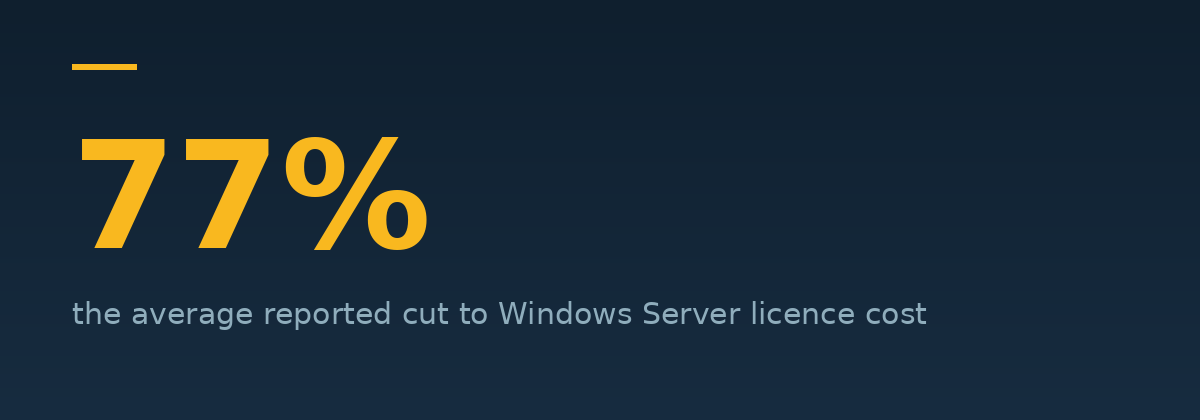
Licensing is also the part almost nobody touches, because it feels like a procurement problem rather than an engineering one. It is both, and the numbers are large: AWS reports customers reducing Windows Server licence costs by an average of 77% and SQL Server by 45%, with around 60% greater licence efficiency than the equivalent on-premises estate.
The two models, and why the choice is not obvious
Every Microsoft workload on AWS runs under one of two licensing models.
License Included (LI). AWS provides the licence and it is bundled into the hourly rate. Nothing to track, nothing to true up, no compliance exposure. Since June 2021 these instances bill per second, which makes them genuinely cheap for intermittent workloads.
Bring Your Own License (BYOL). You deploy licences you already own and pay only for the underlying compute. If you have made a large Microsoft investment already, this is where the big reductions live.
The trap is treating this as one decision for the whole estate. The most cost-effective answer is frequently a mix — and often a mix within a single instance. Windows Server License Included paired with SQL Server BYOL is a common optimum, because the Windows licence is comparatively cheap and the SQL Server licence is not.
Four levers that actually move the number
1. Optimize CPUs — the one most people have never heard of
Microsoft licenses SQL Server per core. AWS bills you per instance. Those two facts collide badly, because SQL Server workloads typically want high memory and high IOPS but relatively few cores — and on AWS the only way to get more memory has historically been to take more vCPUs with it.
The Optimize CPUs feature breaks that link. You can reduce the number of vCPUs running on an EC2 instance while keeping the same memory and IOPS. Your per-core licence bill falls; your database performance does not.
For a memory-hungry SQL Server fleet this is frequently the single largest line-item reduction available, and it requires no migration, no re-architecture, and no negotiation.
2. Right-size the SQL Server edition, not just the instance
A great deal of SQL Server Enterprise in the wild is running workloads that Standard edition would serve perfectly well. The edition was chosen years ago, by someone who has left, for a feature nobody now uses.
AWS Compute Optimizer will generate edition-downgrade recommendations for both License Included and BYOL SQL Server instances. Enterprise to Standard is a very large per-core price difference, and the check costs you nothing but the time to read the report.
3. Dedicated Hosts for BYOL — powerful, and full of traps
Bringing your own Windows Server licences can save up to 50% on EC2 instance costs. But the mechanics catch people out, so read these carefully:
- Windows Server BYOL requires EC2 Dedicated Hosts — not Dedicated Instances. They are different products and only one of them satisfies the licensing requirement.
- You must supply your own installation media. AWS-provided AMIs cannot be used for BYOL. You import your image via VM Import/Export or AWS Application Migration Service.
- Licence eligibility depends on purchase date. Microsoft changed its outsourcing terms in October 2019, and whether a licence can move to a public cloud depends heavily on when and how it was bought.
- Dedicated tenancy carries its own costs. Remember from our commitment discounts guide that the per-Region Dedicated Instance fee is not discounted by Savings Plans, and that regional Standard RI size flexibility does not apply to Windows at all.
None of this makes BYOL wrong. It makes BYOL something to model before committing rather than after.
4. Stop treating the model as permanent
AWS License Manager lets you change the licensing model on existing instances as circumstances change. You are not locked into the decision you made at migration.
That matters more than it sounds. A common and genuinely good strategy is to migrate on License Included — no compliance risk, no Dedicated Hosts, fastest path — and then convert the stable, long-running portion to BYOL once the estate has settled and you know what you actually run. Optimize later, deliberately, with data.
The assessment that finds all of this, at no cost
The AWS Optimization and Licensing Assessment — an OLA — is a complimentary program that examines your on-premises and existing cloud estate across three dimensions: actual resource utilization, third-party licensing, and application dependencies.
The output is a report showing the optimal instance sizes, the right mix of On-Demand, Spot, BYOL and Savings Plans, and where your licensing is oversized. AWS's published figures for OLA outcomes are the 77% Windows and 45% SQL Server reductions above, plus an average of 35% fewer cores than on-premises for Oracle estates.
It is genuinely free, and it is the most under-used program in the AWS catalogue. The reason it goes unused is simply that it has to be run through a partner — AWS requires a partner to deliver and evidence the assessment. If you run a Microsoft estate on or near AWS and have never had an OLA, that is the first call to make, with us or with anyone.
The order to do this in
- Inventory what you actually run — edition, core count, and real utilization, not what the CMDB says.
- Run an OLA before you buy anything. It is free and it changes the inputs to every subsequent decision.
- Downgrade editions where Standard suffices. Largest gain per unit of effort.
- Apply Optimize CPUs to memory-bound SQL Server instances.
- Model BYOL against License Included per workload, not per estate, including the Dedicated Host overhead.
- Only then buy commitments. Committing before licence optimization locks in a fleet you are about to shrink — the same sequencing error we cover in choosing your commitment coverage.
That last point is the one that costs the most when it is done backwards. Licence optimization changes your instance shapes. Commitments bought against the old shapes strand.
Interactive checklist
The Microsoft licensing optimisation checklist
The order above, as a list you can work through against your own estate. Your progress saves in this browser, and it prints.
Before you change anything
The quick wins
Evaluating BYOL
Sequencing — the part that costs most when done backwards
Never had an OLA?
It costs nothing, it has to run through a partner, and it changes the inputs to every decision that follows.
Workload License AssessmentYour progress is saved in this browser only — nothing is sent anywhere.
A note on the honest ceiling
The 77% and 45% figures are averages AWS publishes across assessed customers, and averages hide range. An estate that is already right-sized, already on Standard edition, and already BYOL where it makes sense will not find another 77%. An estate that has never been examined usually finds more than the owner expects.
The only way to know which one you are is to look — and looking is the free part.
Sources
- AWS Optimization and Licensing Assessment (OLA)
- AWS Cloud Operations Blog — Use AWS flexible licensing options to optimize cost
- Amazon EC2 User Guide — Optimize CPUs for License-Included instances
- AWS Prescriptive Guidance — Bring licenses for Windows and SQL Server workloads
- AWS What's New — Compute Optimizer licensing cost optimization for SQL Server
Never had an OLA?
It costs nothing, it has to run through a partner, and it changes the inputs to every decision that follows.
Workload License Assessment